
This shows you the differences between two versions of the page.
|
chapter_2_-_the_linux_operating_system:installing_linux_apache_php_mysql_lamp_server [2013/01/25 18:20] cellbiol |
chapter_2_-_the_linux_operating_system:installing_linux_apache_php_mysql_lamp_server [2013/01/28 13:08] (current) cellbiol [Chapter Sections] |
||
|---|---|---|---|
| Line 1: | Line 1: | ||
| - | ===== Installing a LAMP (Linux, Apache PHP, MySQL) Server ===== | + | ===== 2-5: Installing a LAMP (Linux, Apache PHP, MySQL) Server ===== |
| + | |||
| + | == Figure 2-5-1: The Apache logo == | ||
| + | //Source: [[http://incubator.apache.org/|The Apache Incubator]]// | ||
| + | {{ :chapter_2_-_the_linux_operating_system:apache_logo.png |}} | ||
| Open a web browser on your linux machine, for example Firefox, and type: | Open a web browser on your linux machine, for example Firefox, and type: | ||
| Line 7: | Line 11: | ||
| in the address bar. You should get a connection failed message. If you try to visit the machine IP address from a remote computer, you will get the same. Our linux machine is still not a web server, as it misses any web server software. | in the address bar. You should get a connection failed message. If you try to visit the machine IP address from a remote computer, you will get the same. Our linux machine is still not a web server, as it misses any web server software. | ||
| - | We will now install the apache2 web server software. We will also install support for the PHP programming language and for MySQL databases. The full bundle is known as LAMP (Linux-Apache-PHP-MySQL) server. | + | We will now install the [[http://httpd.apache.org/|apache2 web server software]]. We will also install support for the [[http://php.net/|PHP programming language]] and for [[http://www.mysql.com/products/community/|MySQL databases]]. The full bundle is known as LAMP (Linux-Apache-PHP-MySQL) server. |
| There is a longer way, and a very short and easy way to install LAMP. We will take the latter. For information, thought, these are the commands for the long way: | There is a longer way, and a very short and easy way to install LAMP. We will take the latter. For information, thought, these are the commands for the long way: | ||
| Line 47: | Line 51: | ||
| If everything went fine during installation you will now see the default apache web page: | If everything went fine during installation you will now see the default apache web page: | ||
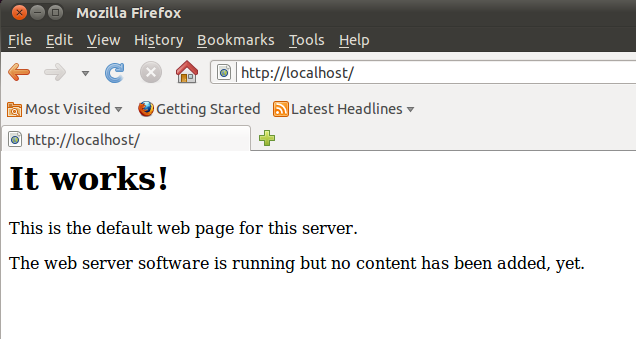
| - | == Figure 2-5-1: The default apache web page at localhost == | + | == Figure 2-5-2: The default apache web page at localhost == |
| {{ :chapter_2_-_the_linux_operating_system:apache_default_web_page_at_localhost.png |}} | {{ :chapter_2_-_the_linux_operating_system:apache_default_web_page_at_localhost.png |}} | ||
| Congratulations, you were able to successfully set up a Linux web server! | Congratulations, you were able to successfully set up a Linux web server! | ||
| - | In order to use it, we need to understand a few things about how the web server is configured by default. In the next section we will look at a few important configuration details, that will allow us to use the server at best for this course and to use it as the course server, that will host a web development account for each student. To achieve this a few tweaks will be required to modify the behavior of the default apache installation. Keep reading here. | + | In order to use it, we need to understand a few things about how the web server is configured by default. In the next section we will look at a few important configuration details, that will allow us to use the server at best for this course and to use it as the course server, that will host a web development account for each student. To achieve this a few tweaks will be required to modify the behavior of the default apache installation. Keep reading about the [[chapter_2_-_the_linux_operating_system:apache web server configuration |Apache web server configuration]] in the next section. |
| ==== Chapter Sections ==== | ==== Chapter Sections ==== | ||
| - | * [[chapter_2_-_the_linux_operating_system:start|Chapter 2: Introduction]] | + | <box 100% left round blue | **Chapter 2**> |
| + | <html> </html> | ||
| + | * [[chapter_2_-_the_linux_operating_system:start|Introduction]] | ||
| * **2-1:** [[chapter_2_-_the_linux_operating_system:installing ubuntu linux|Installing Ubuntu Linux]] | * **2-1:** [[chapter_2_-_the_linux_operating_system:installing ubuntu linux|Installing Ubuntu Linux]] | ||
| * **2-2:** [[chapter_2_-_the_linux_operating_system:the linux filesystem |The Linux Filesystem]] | * **2-2:** [[chapter_2_-_the_linux_operating_system:the linux filesystem |The Linux Filesystem]] | ||
| * **2-3:** [[chapter_2_-_the_linux_operating_system:basic linux shell commands |Basic Linux Shell Commands]] | * **2-3:** [[chapter_2_-_the_linux_operating_system:basic linux shell commands |Basic Linux Shell Commands]] | ||
| * **2-4:** [[chapter_2_-_the_linux_operating_system:installing and using openssh server for remote connections |Installing and using Open SSH Server for remote connections]] | * **2-4:** [[chapter_2_-_the_linux_operating_system:installing and using openssh server for remote connections |Installing and using Open SSH Server for remote connections]] | ||
| - | * **2-5:** [[chapter_2_-_the_linux_operating_system:installing linux apache php mysql lamp server |Installing a LAMP (Linux, Apache, PHP, MySQL) Server]] in progress | + | * **2-5:** [[chapter_2_-_the_linux_operating_system:installing linux apache php mysql lamp server |Installing a LAMP (Linux, Apache, PHP, MySQL) Server]] |
| - | * **2-6:** Apache2 Configuration | + | * **2-6:** [[chapter_2_-_the_linux_operating_system:apache web server configuration |Apache Web Server Configuration]] |
| + | * **2-7:** [[chapter_2_-_the_linux_operating_system:setting up a linux web server|Setting up a Linux Web Server - Reference Summary]] | ||
| [[..:start|Back to index]] | [[..:start|Back to index]] | ||
| + | </box> | ||